Today's session, written for you. Logged from your wrist.
Tell Gymstrike your goal, your days and your kit, and it writes your training week with the loads filled in. Start each session on your Apple Watch, log every set from your wrist, and next week's loads step up on their own.
Start with a 7-day free trial, then a monthly or annual Gymstrike Pro subscription. Includes the Apple Watch app.
Goal in, session out.
- 01
Tell it your goal
Your goal, your training days, your equipment and how long you've got. A couple of minutes.
- 02
Your week is written
Every session with the exercises, sets, reps and starting loads filled in. Swap anything, or rebuild the week in one message.
- 03
Start on your wrist
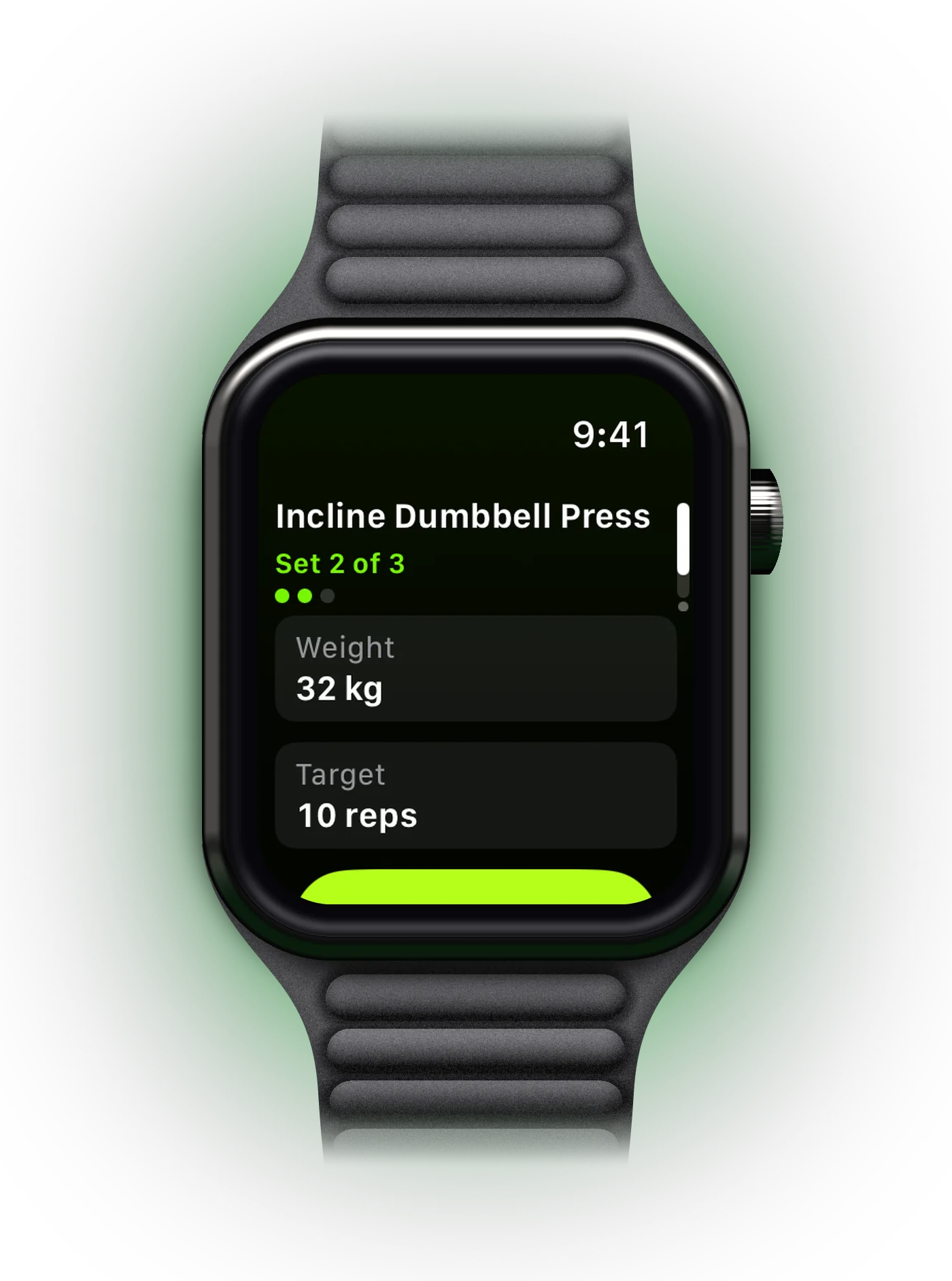
Tap Start and the session opens on your Apple Watch. Log each set from your wrist while your phone stays in the locker.
- 04
Next week steps up
Hit your targets and the loads rise on their own. Miss a day and a reset session keeps the plan on track.
Written for you. Logged from your wrist.
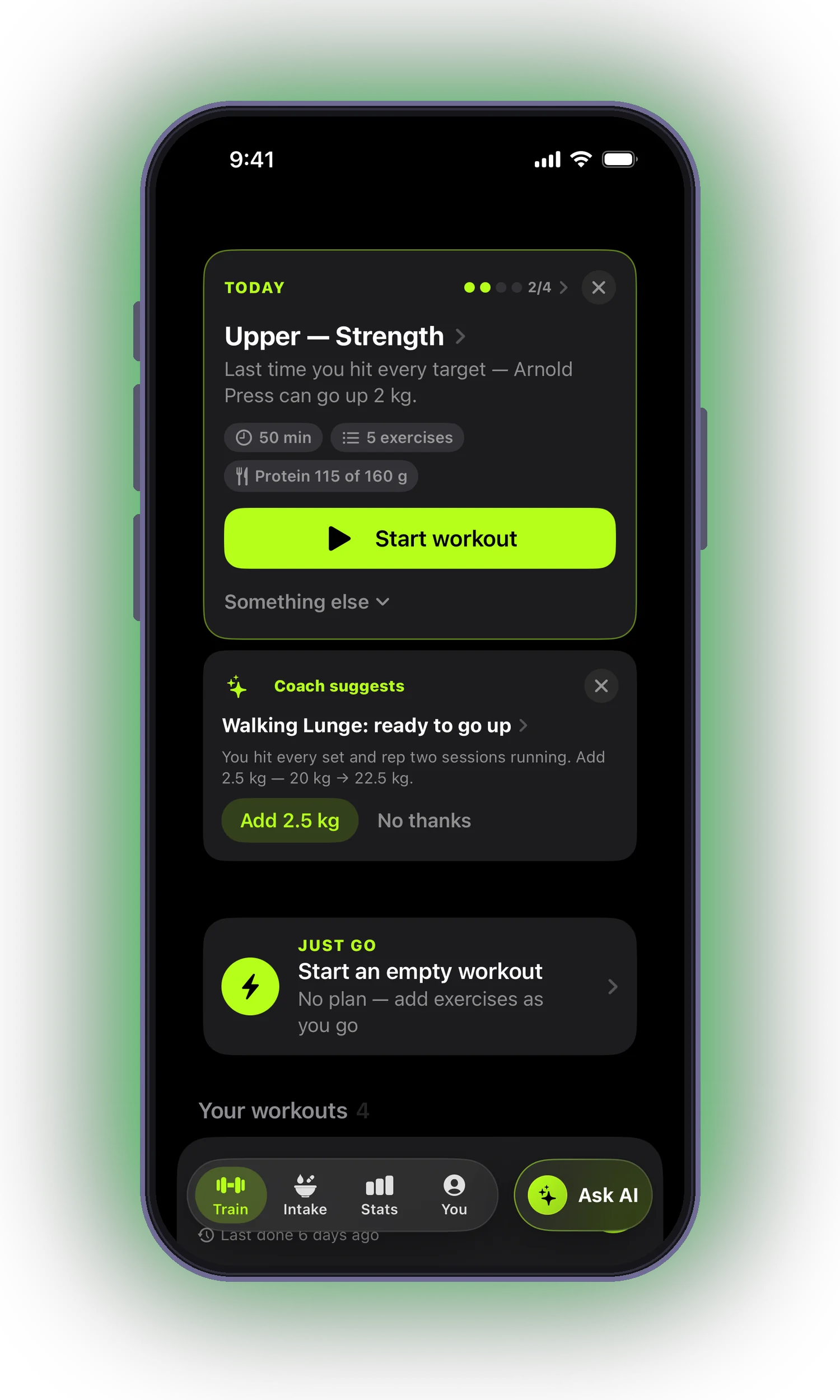
Your plan is built from your goal, your days and your kit, and every session comes with the loads set. Your Apple Watch runs it: sets, loads and rest on your wrist, mirrored live on your phone.
Ready when you are
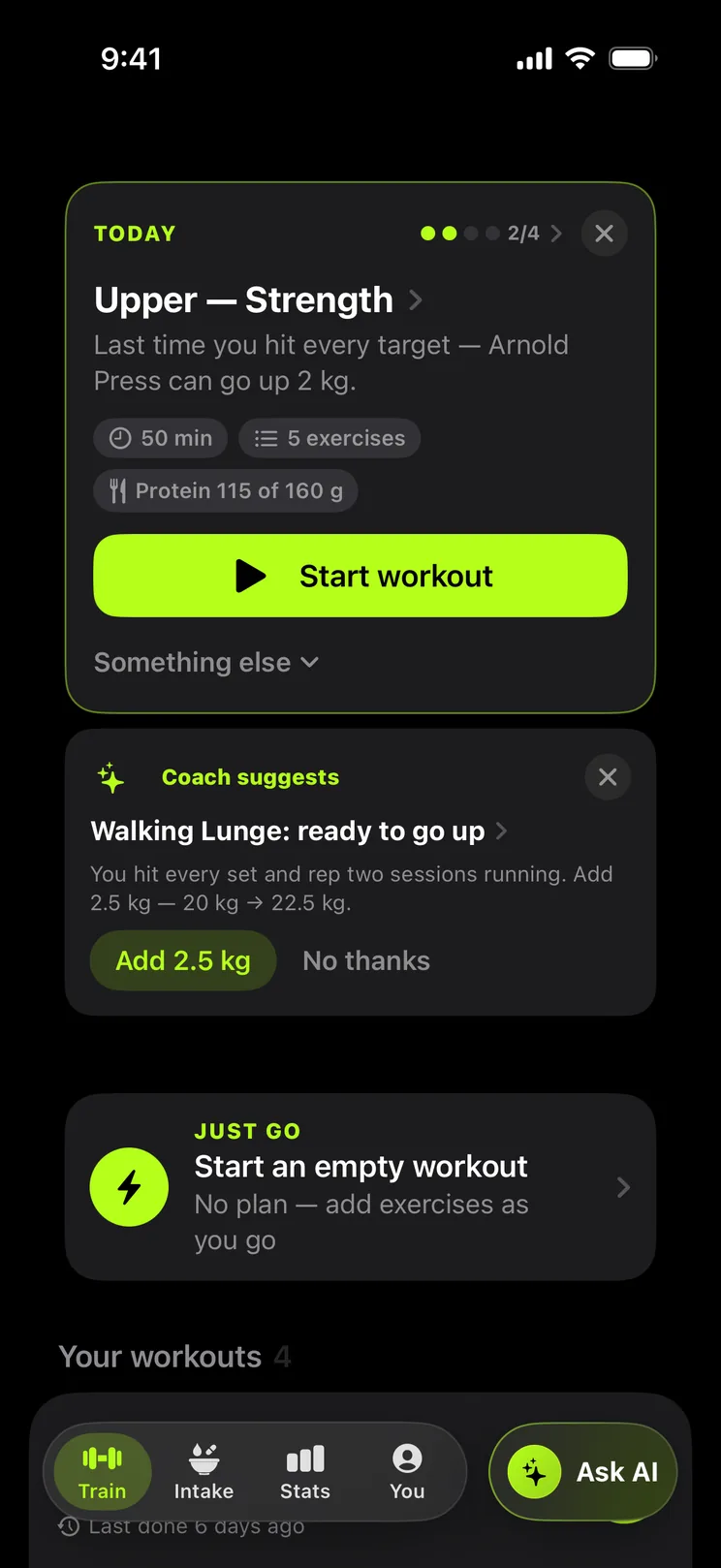
Open the app and the next session is on the Today card with the loads set. One tap starts it.
- A 15-minute starter for days you're short on time
- A reset session when you miss a planned day
- Goal, pace and training days in one place, all editable
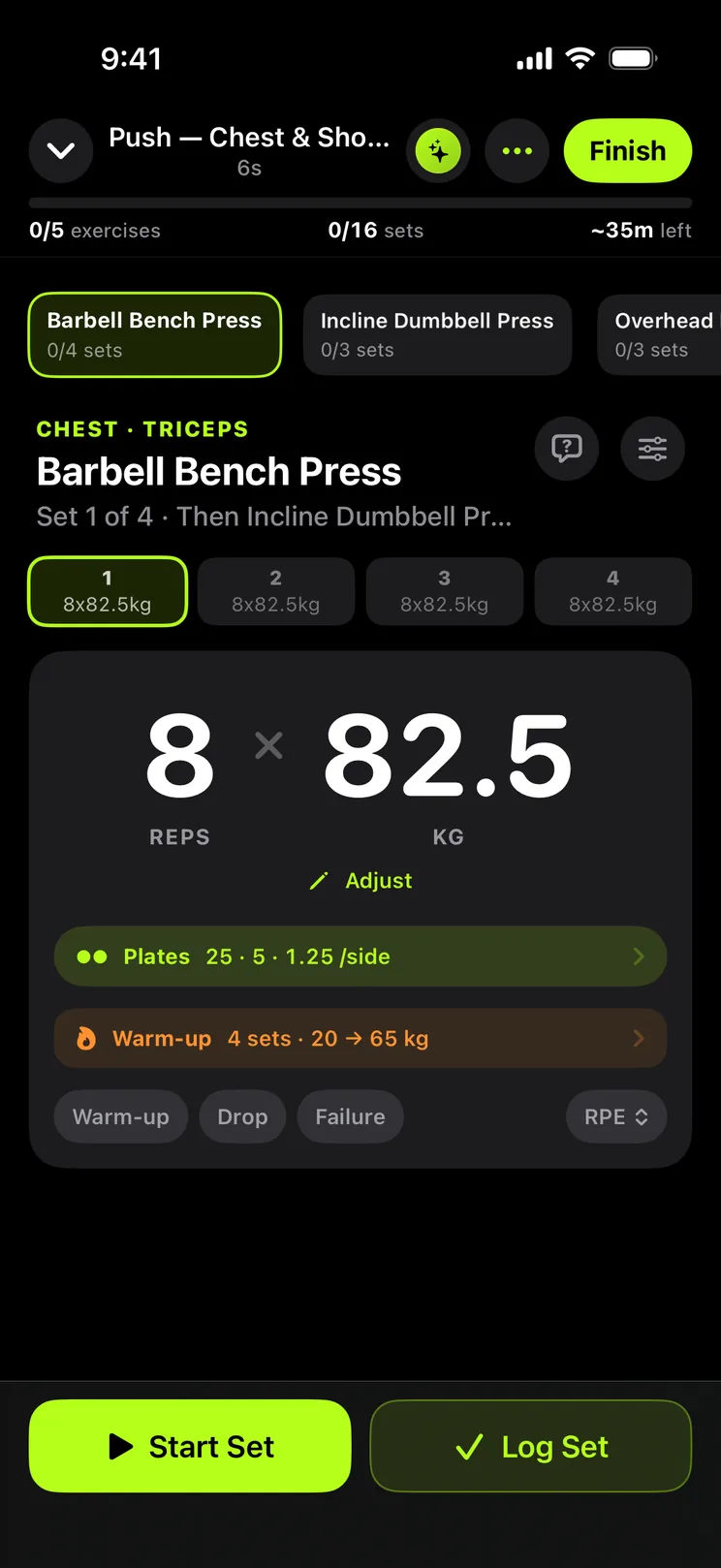
Every set, every rep
Each set shows the target. One tap logs it; change the numbers if you did something else.
- Rest runs itself, with a ping when it's up, even with the phone locked
- Plate calculator, warm-up ramps, RPE and supersets
- Fix any logged set, even after the workout
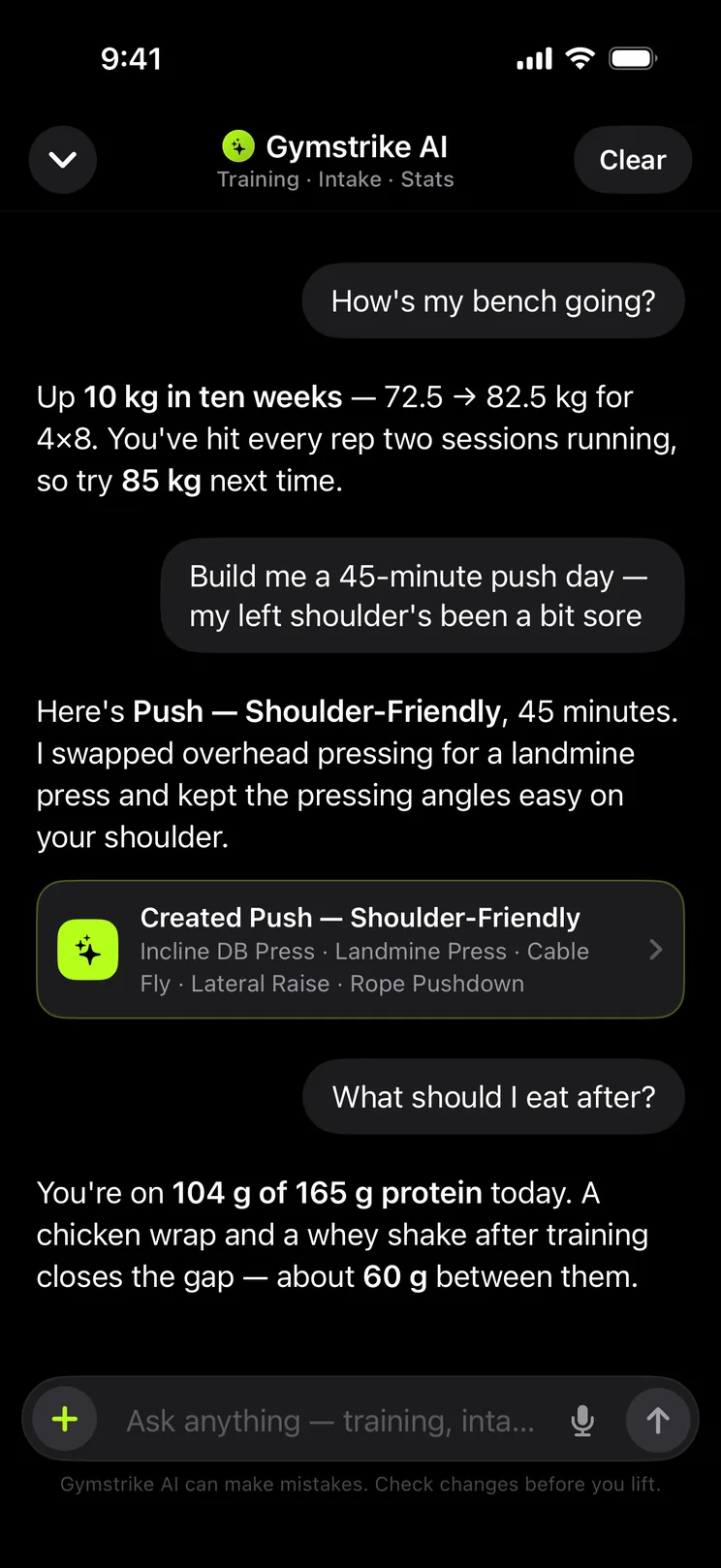
Adapts every week
Auto-progression steps the load up when you hit your reps, and the coach is one message away mid-set.
- PR alerts the moment you beat a best
- Swaps, form cues and what weight to use, mid-set
- Build or rebuild a whole week in one message
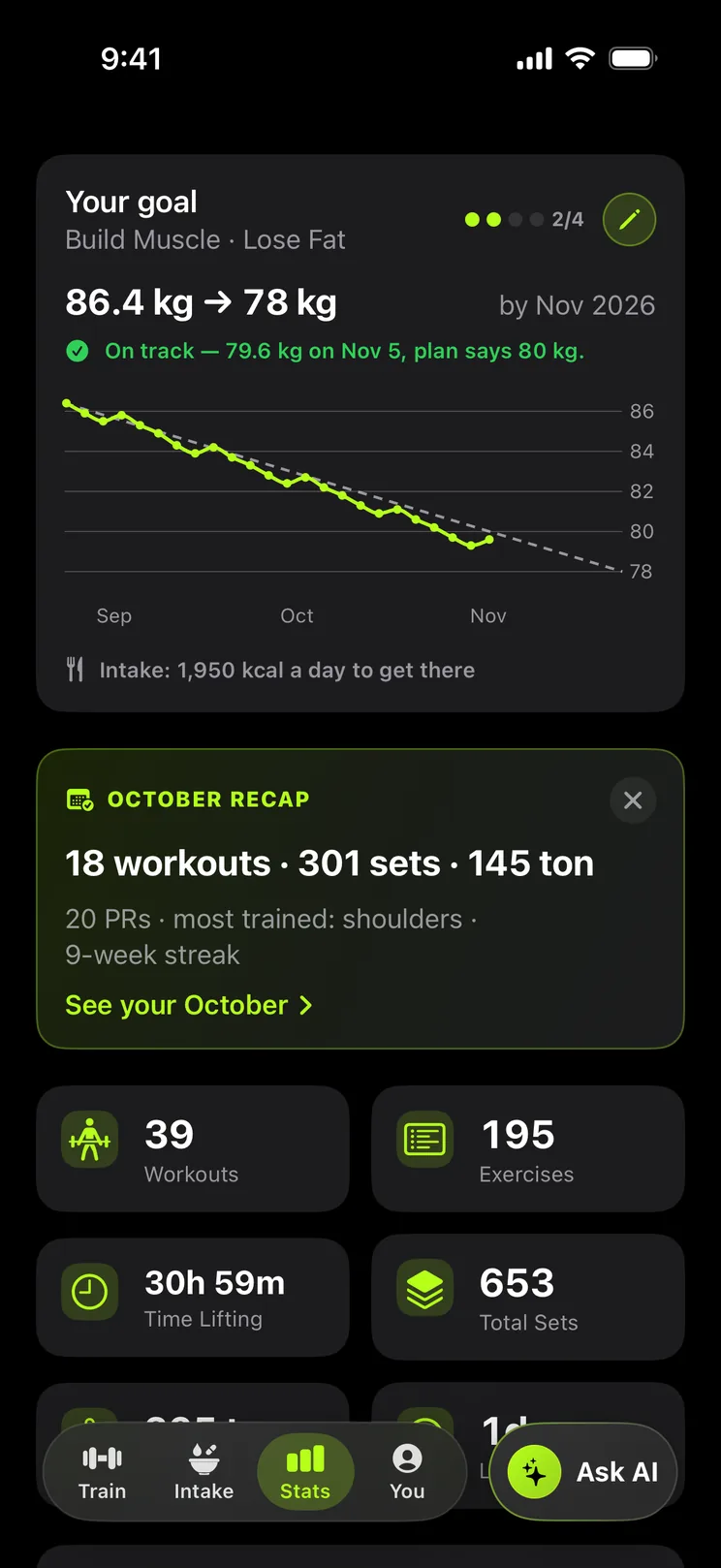
Proof you're getting stronger
Your weight trend against your goal, a strength score for your main lifts and a muscle map of the week.
- Every exercise's history, records and progress photos
- Streaks, monthly recaps and totals lifted
- Synced with Apple Health
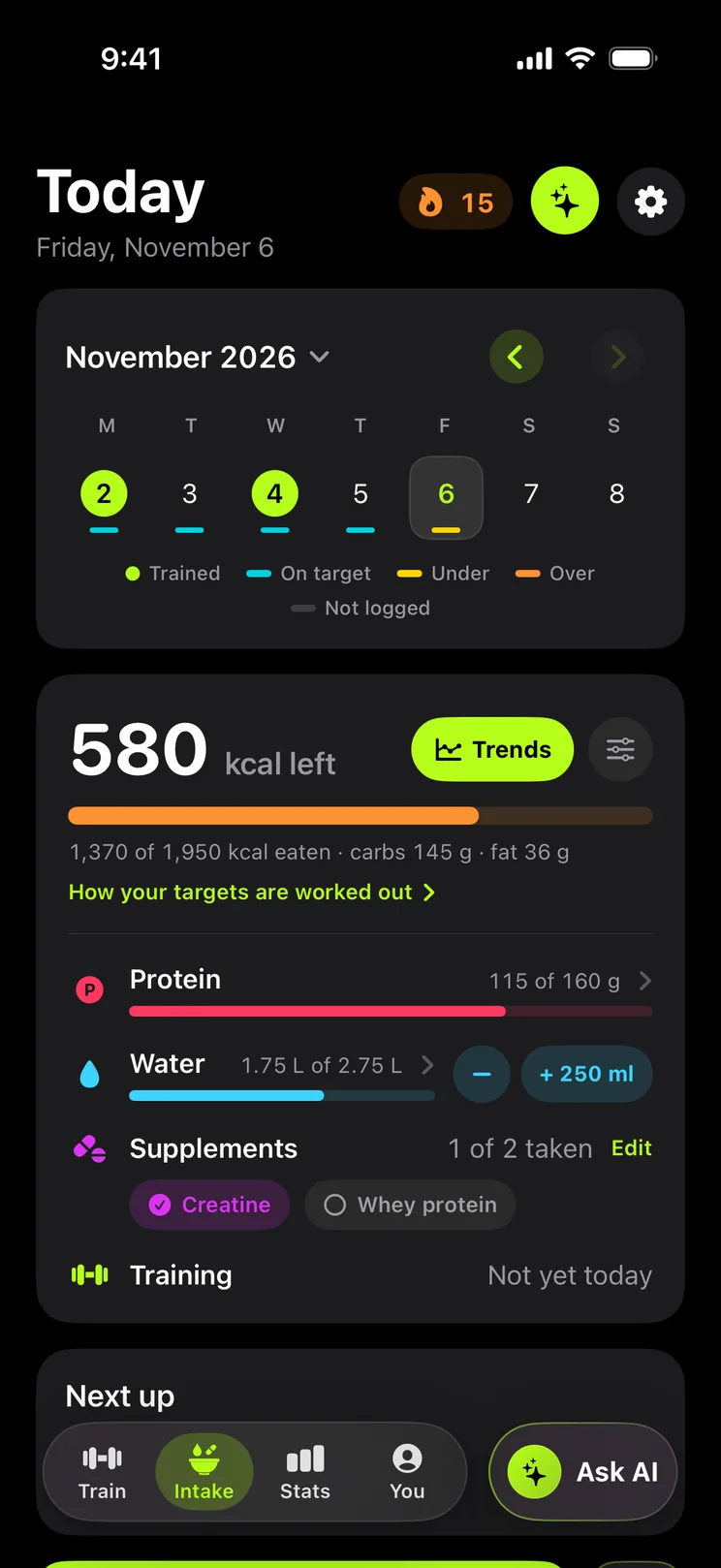
Food, if you want it
Snap a photo or describe a meal and the calories and protein are counted in seconds.
- Daily targets worked out from your plan, with the working shown
- Water, supplements and Apple Health
- Training and food on one calendar
Plus an exercise library with cues and same-pattern swaps, and community routines you can make your own.
Phone in the locker. Watch on the wrist.
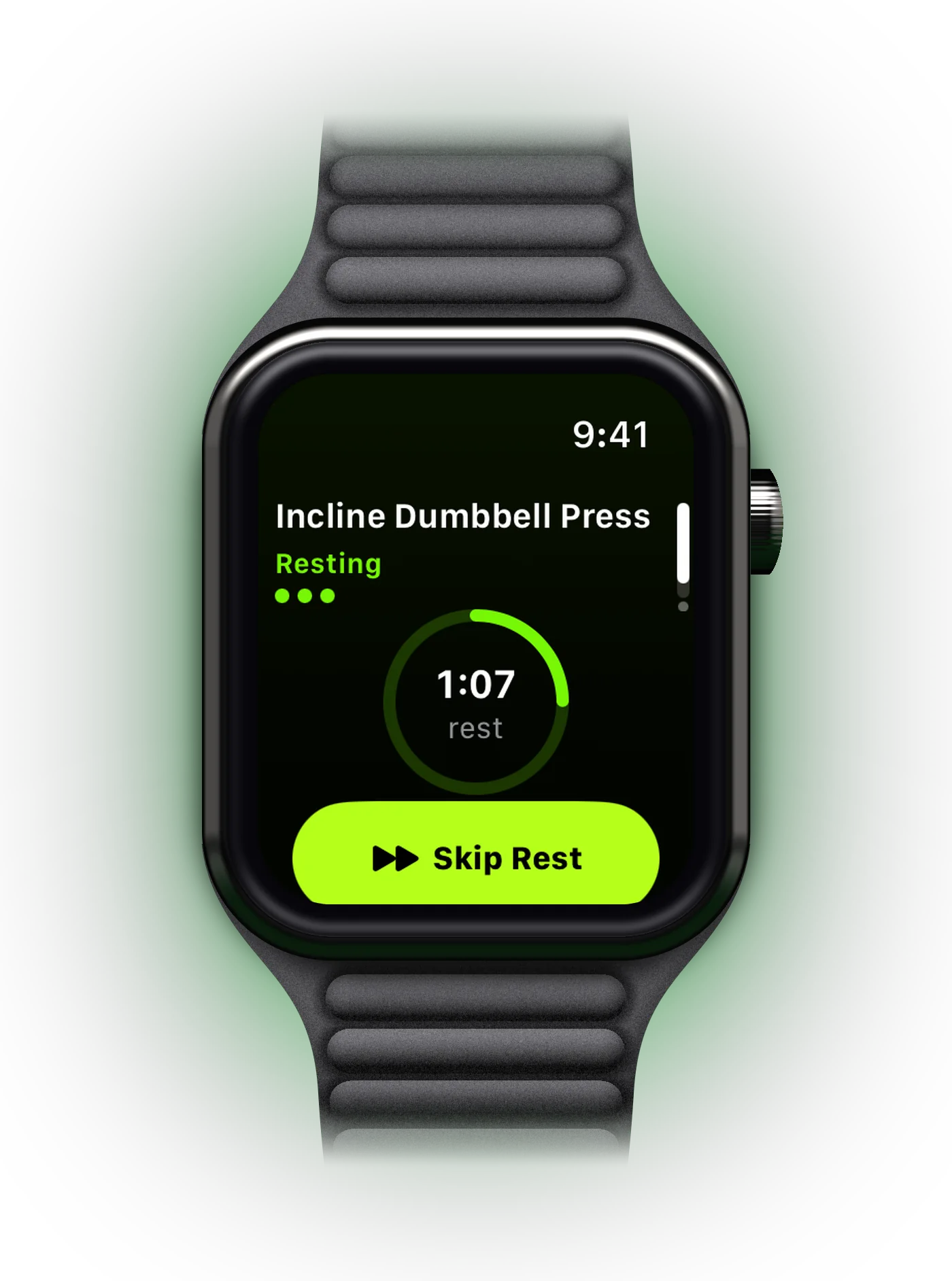
With a Watch paired, Start opens the session on your wrist. Sets, loads and the rest timer are right there, and your phone mirrors every rep live.
- Start, log and finish sessions on Apple Watch
- Rest timer with a tap on the wrist when it's up
- Heart rate recorded and synced to Apple Health
Every screen, as you'd use it
Today's session, written for you Loads set. One tap logs it. Proof you're getting stronger Ask your coach mid-set Every meal counted in seconds
Start with a 7‑day free trial
Everything is included from day one: your plan, Apple Watch logging, unlimited coach chat and your whole history.
The trial starts in the app once your plan is built. Pricing is shown in the store for your region.
- Today's session written for you, adapting every week
- Apple Watch app with live mirroring on your phone
- Unlimited coach chat and AI meal logging
- Your whole history, strength score and muscle map
- Monthly or annual, cancel any time
Good to know
Do I need an Apple Watch?
No. Everything runs on your iPhone. With a Watch paired, sessions open on your wrist by default and your phone mirrors them live.
Can I change the plan?
Yes. Swap or remove exercises, adjust and rebuild the week, or ask the coach to write a new one. Every suggestion is yours to take or skip.
What happens when the trial ends?
Your plan, history and Watch sync continue on a monthly or annual Gymstrike Pro subscription. Cancel before the trial ends and you won't be charged.
Is it on Android?
Yes, Gymstrike is on Google Play. Apple Watch, Apple Health and Siri are iPhone features.
Where does my data live?
Your plan and history sync to your account, so they're on every device you sign in on. Read the privacy policy
Today's session, written for you. Logged from your wrist.
Start with a 7-day free trial, then a monthly or annual Gymstrike Pro subscription. Includes the Apple Watch app.